"Where is my order?" is the question support teams hear most. Each call costs time, and each one means the customer didn't get the information they needed when they needed it.
Good WhatsApp delivery updates answer that question before it's asked. The trick is sending fewer, better messages, not a ping at every scan.
In short
- Send four or five updates per order, not one for every tracking event.
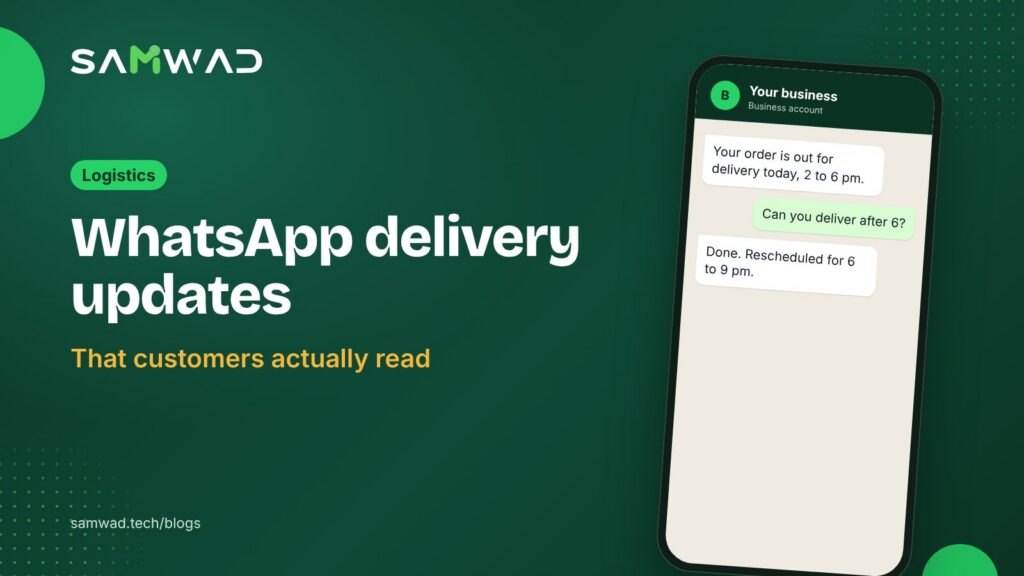
- Make the out-for-delivery message the most useful one: time window, cash reminder, reschedule button.
- Turn failed delivery attempts into a quick reschedule in the chat.
- Ask for feedback once, after delivery.
The updates worth sending
| Update | What it should say |
|---|---|
| Order confirmed | Items, amount and expected delivery date |
| Shipped | Courier, tracking link and expected date |
| Out for delivery | Today's time window, the amount due if it's COD, and a reschedule button |
| Delivery attempt failed | What happened and two or three new slots |
| Delivered | Confirmation and a one-question feedback request |
Skip "arrived at hub" and "in transit" updates unless something changes. Customers stop reading when messages don't tell them anything new.
Make "out for delivery" do the heavy lifting
This is the message customers read most carefully, because it decides whether they'll be home. Give them everything they need to receive the parcel:
Your order {{order_id}} is out for delivery today between {{window}}.
{{cod_line}}
Won't be home? Pick another time below.
RescheduleLeave with neighbourTalk to us
Rescue failed attempts in the chat
When an attempt fails, message the customer straight away with what happened and a short list of new slots. A WhatsApp Flows form can collect the new slot and any address correction in one step. Replies inside the 24-hour window are free, so the whole reschedule costs only the first message.
Keep updates in the utility category
Order and shipping updates are among the examples Meta gives for its utility category, which costs less than marketing. Keep promotions out of them: a delivery update with a discount code added can be moved to marketing during Meta's reviews. At Meta's India rates as of January 2026, a utility message sent outside the 24-hour window costs about ₹0.115 before GST, and a marketing message about ₹0.86. Meta can change its rates, so check the current ones in your WhatsApp Manager.
Feedback surveys tied to a specific order also count as utility, as long as they're about that order.
Answer "where is my order?" without a person
Some customers will still ask. An AI agent connected to your order data can answer status questions in the chat and hand anything unusual, such as a damaged parcel, to your team in the shared inbox. Customers who call your WhatsApp number can be answered by the Voice AI agent.
How to set it up in SAMWAD
- Connect your store or shipping system. SAMWAD integrates with WooCommerce and Shopify, and other systems can send events through the API and webhooks.
- Create one utility template per update in the table above, and let SAGE check each one.
- Map each shipping status to its template, and leave the rest unmapped.
- Add the reschedule form and route exceptions to your team.
- Review "where is my order?" contacts each week; they should fall as the updates improve.
Confirming COD orders before dispatch prevents many failed deliveries in the first place: see our guide to COD confirmation on WhatsApp.
Questions
How many delivery updates should I send?
Four or five per order is enough for most businesses: confirmed, shipped, out for delivery, delivered, and a failed-attempt message when needed.
Are delivery updates free on WhatsApp?
No. Each update is a utility template with a per-message charge from Meta. Replies inside the 24-hour window are free.
Can customers reschedule in the chat?
Yes. Add a reschedule button and a short form, and pass the new slot to your delivery team.
See more on WhatsApp for logistics, or download the delivery playbook.