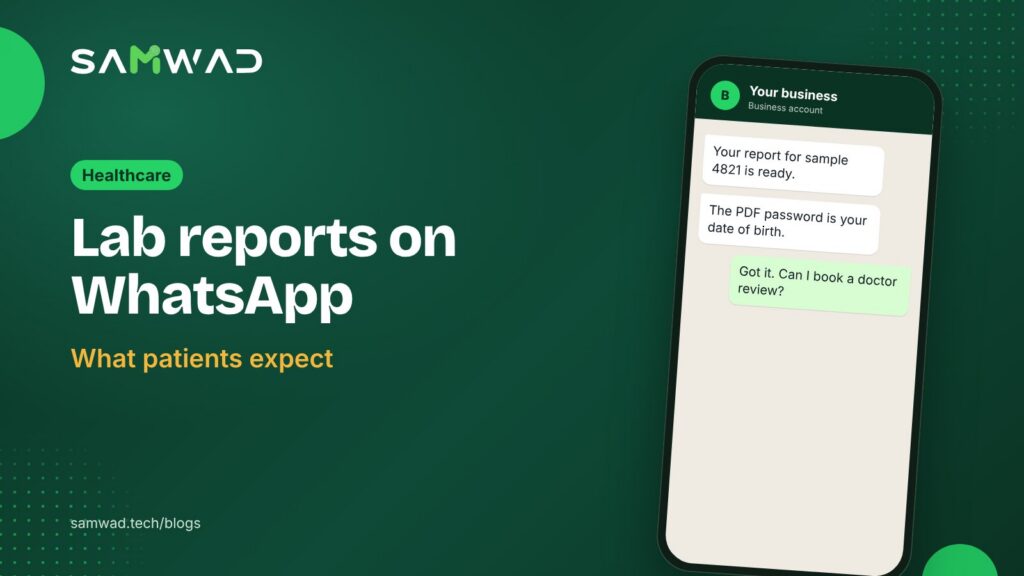
Patients no longer want to wait at a counter or log in to a portal they've forgotten the password for. They want their report on their phone, ideally on WhatsApp, with a clear answer to "what do I do next?"
Sharing a WhatsApp lab report is simple to set up. Doing it carefully takes a little more thought, because a lab report is some of the most personal information a patient has. Here's a practical approach.
In short
- Ask for consent to send reports on WhatsApp, separately from other updates.
- Send the report only to the number the patient registered.
- Keep results out of the message text; send them as a document or a link.
- Offer a next step, such as a doctor review, in the same chat.
Start with consent
Meta's policy requires that a person agrees to receive messages from your business. It also recommends asking separately for each kind of message. For reports, that's worth doing: a patient may be happy to get offers by SMS but want reports only on WhatsApp, or the other way round.
Add a line to your registration form or desk script: "Would you like your reports sent to this number on WhatsApp?" Record the answer with the booking. India's Digital Personal Data Protection Act, 2023, also has expectations around consent for personal data, so check with your legal team how it applies to you.
What goes in the message, and what doesn't
WhatsApp messages show on lock screens and often on phones shared by a family. Write the notification as if someone else might read it:
- Do include your lab's name, a sample or booking reference and how to open the report.
- Don't include test names, values or anything that hints at a diagnosis.
Hi {{name}}, your report for booking {{booking_id}} is ready.
It's attached as a PDF. To open it, use your date of birth (DDMMYYYY) as the password.
Questions about your results? Tap below to book a doctor review.
Book a reviewTalk to the lab
WhatsApp templates can carry a document in their header, so the PDF arrives with the message. Many labs password-protect the PDF with something only the patient knows, such as their date of birth, as an extra step. A link to your patient portal works too, if you'd rather the report stays on your system.
Send to the right person
- Send reports only to the number registered at booking, not to a number someone gives over the phone later.
- If a family member asks for a report on another number, ask the patient to confirm first.
- For tests that need a doctor to explain the result, consider telling the patient their report is ready and booking the consultation instead of sending the PDF straight away.
Handle the questions that follow
A report prompts questions, and some of them are clinical. Split them clearly:
- General questions, such as "How do I open the PDF?", "When is the next sample collection?" or "Do I need to fast for a repeat test?", can be answered by an AI agent trained on your lab's information.
- Questions about results go to a qualified person. In SAMWAD, these chats move to your team in the shared inbox with the full history, so nobody asks the patient to repeat themselves.
Utility messages, at utility rates
A message telling a patient their own report is ready follows up on their booking, so it generally fits Meta's utility category. At Meta's India rates as of January 2026, a utility message sent outside the 24-hour window costs about ₹0.115 before GST, and a marketing message about ₹0.86. Meta can change its rates, so check the current ones in your WhatsApp Manager. Health check package offers belong in a separate marketing message to patients who opted in to offers.
How to set it up in SAMWAD
- Add a WhatsApp consent question for reports to your registration process.
- Create a utility template with a document header, and let SAGE check it against Meta's rules.
- Connect your lab information system through the API and webhooks, so a finalised report triggers the message.
- Route replies to your patient care team, with an AI agent answering the general questions.
- Review delivery and reply rates weekly, and follow up by phone when a report isn't opened.
Questions
Is it okay to send lab reports on WhatsApp?
Many labs and clinics do, with the patient's consent. Check how the data protection rules that apply to you treat it, send only to the registered number, and keep results out of the message text.
Should the PDF be password-protected?
It's a common extra step. Use something the patient knows, such as their date of birth, and say in the message how to open it.
Can an AI agent explain results?
Keep AI to general questions about your service. Questions about what a result means should go to a qualified person.
See more on WhatsApp for healthcare, or download the patient communication guide.